DICOM media publishing · Version 7.2
DCMburner
Automated creation and labeling of DICOM CDs, DVDs and Blu-ray discs for referring physicians and patients.

Automated creation and labeling of DICOM CDs, DVDs and Blu-ray discs for referring physicians and patients.
DCMburner is the original Sup-C DICOM media publishing solution, developed and supported by Patrick Cleys / Sup-C in Belgium. Sup-C has been developing DICOM and radiology software for more than 25 years.
Official DCMburner: developed, licensed and supported through sup-c.com and authorized Sup-C resellers.
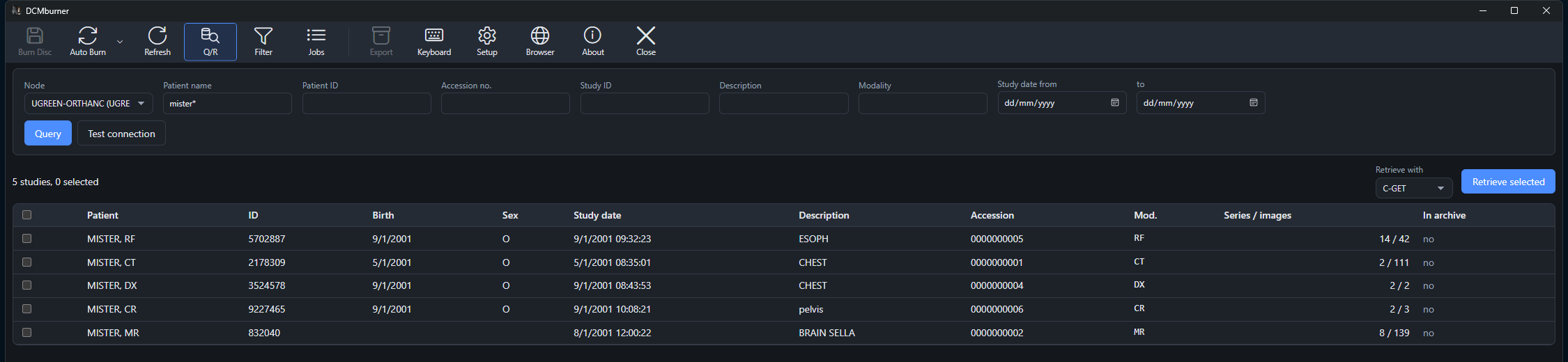
DCMburner receives DICOM studies from your network and prepares patient media with the original images, a DICOMDIR, a DICOM viewer and a customized disc label. Discs are created by hand or automatically for a configured DICOM AE Title, and burned and printed by a disc publisher.
Version 7 is completely new: a 64-bit Windows program with its own built-in database, a modern user interface, a secure web module and an interface in 18 languages.
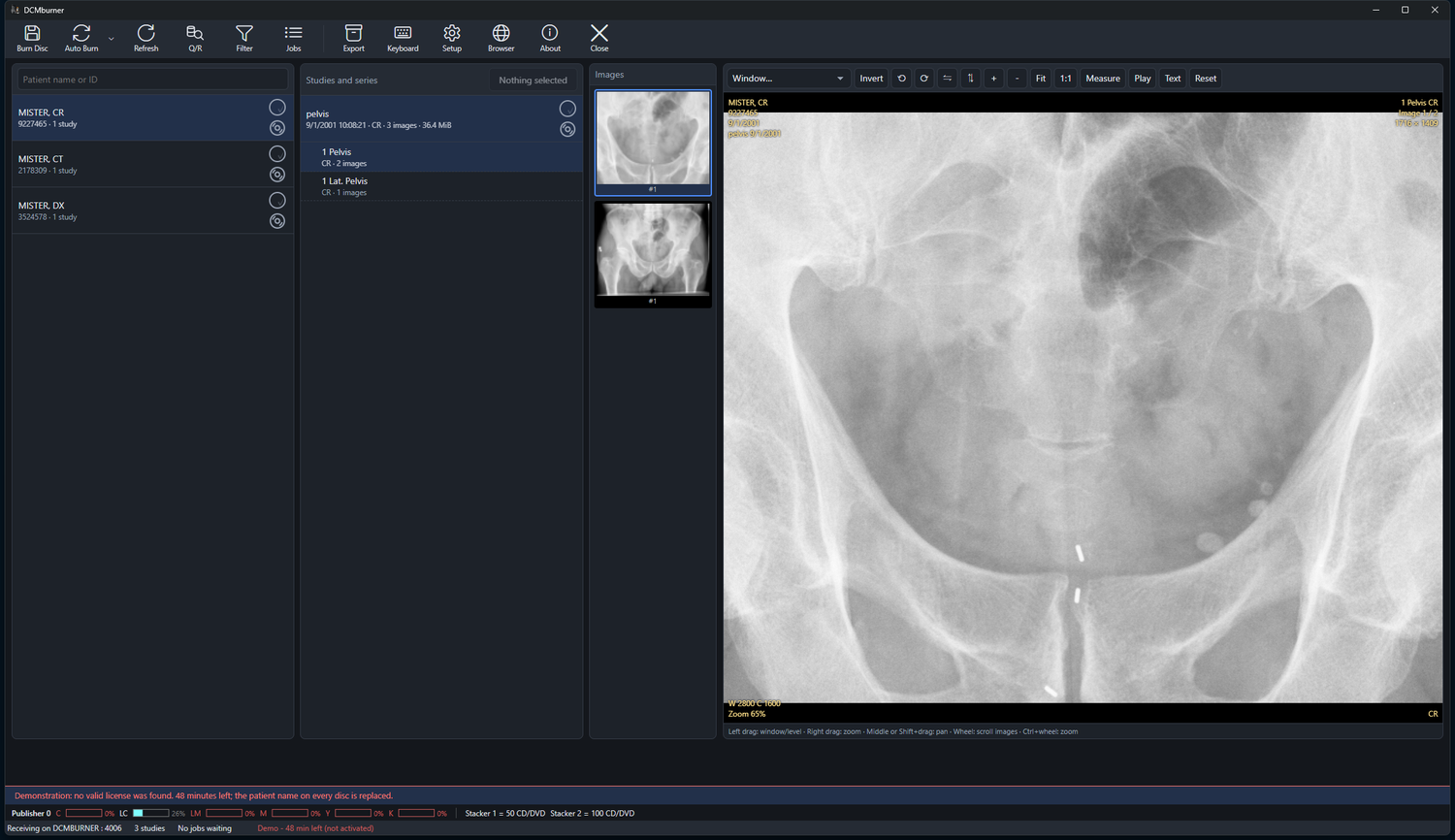
Select the patient and create the disc from the user interface, or configure an automated workflow. DCMburner generates labels with dynamic information such as patient ID, patient name, study description and institution. The Jobs page follows every disc until the publisher reports it as completed, and shows the message of the publisher when something needs attention.
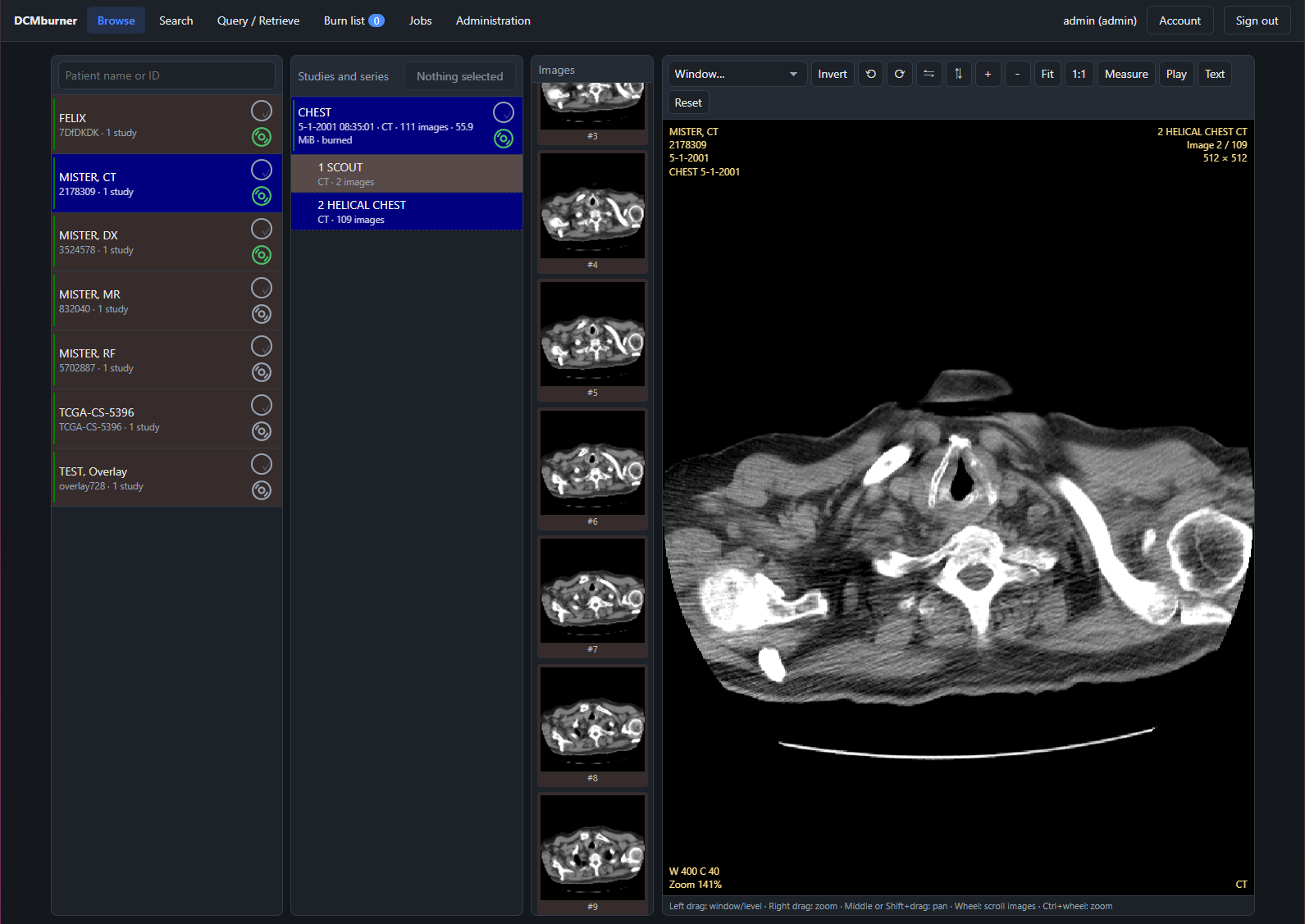
The pages of the DCMburner window also open in a normal browser on other computers in your network. Operators can be allowed to burn discs without seeing images.
DCMburner automates DICOM media publishing for radiology departments, imaging centres and hospitals. Patient studies are prepared for CD, DVD or Blu-ray together with a DICOMDIR, viewer and label according to the configured publishing profile. Each profile has its own AE Title, viewer, label templates and Auto Burn setting.
DICOM media publishing prepares medical imaging studies for delivery on removable media. The resulting media include the original DICOM images, a DICOMDIR and viewer software, so that patients and referring physicians can open the study on their own computer.
One installer for Windows 10 and Windows 11 (64-bit). Without a licence the program runs as a demonstration for one hour per start.
DCMburner 7 installs next to version 6. Settings, profiles and data of version 6 are not taken over, local-drive burning and the older publisher types are no longer part of the program, and your licence must cover version 7. Contact Sup-C or your reseller before you upgrade.
Every manual can be read online or downloaded as a PDF.
| Document | Online | Download |
|---|---|---|
| Getting StartedThe first disc in ten minutes | Read online | PDF (761 KB) |
| Installation GuideInstallation, first configuration, publishers, licence, HTTPS | Read online | PDF (1.0 MB) |
| User ManualEvery window and every setting | Read online | PDF (2.2 MB) |
| SpecificationsSystem requirements, publishers, disc types, limits | Read online | PDF (262 KB) |
| Tips and TricksWork faster and avoid mistakes | Read online | PDF (218 KB) |
| Questions and AnswersFrequently asked questions | Read online | PDF (188 KB) |
| DICOM Conformance StatementDICOM services, SOP classes, transfer syntaxes | Read online | PDF (446 KB) |
| DCMviewer HelpThe free viewer on the patient disc | Read online | PDF (312 KB) |
| DCMviewer Conformance StatementDICOM conformance of the viewer | Read online | PDF (1.5 MB) |
DCMburner receives DICOM studies from modalities and PACS systems and publishes them on patient CDs, DVDs or Blu-ray discs with a DICOMDIR, a DICOM viewer and a printed label.
Epson Discproducer PP series (with Epson TD Bridge), Primera Bravo and Disc Publisher (with PTBurn), All Pro Solutions Zeus (with PoINT Publisher) and Rimage (with the Rimage Software Suite). A disc publisher is required.
Yes. Every disc can carry a DICOMDIR, the index of the DICOM file set that is used to exchange studies on removable media.
The standard viewer is Sup-C DCMviewer, a free portable viewer for Windows that needs no installation. It is not intended for diagnostic use. Another viewer can be chosen per profile.
Yes. A protected disc holds one AES-256 encrypted file and an unpack program. The password is the birth date of the patient or a master password.
Yes. The web module of DCMburner runs over HTTPS with user accounts and roles, to browse, search, query and retrieve studies and to burn discs from other computers.
DCMburner 7 is a new program that installs next to version 6. Settings and data of version 6 are not taken over, and the licence must cover version 7. Contact Sup-C or your reseller before you upgrade.
The original Sup-C DCMburner is developed and supported by Sup-C in Belgium. Official product information and downloads are available at sup-c.com.