DICOM ROUTING SOFTWARE
DCMrouter 3.0
Reliable, rule-based DICOM routing for PACS, archives, workstations, AI platforms and research systems.
View features

Reliable, rule-based DICOM routing for PACS, archives, workstations, AI platforms and research systems.
View featuresDCMrouter 3.0 is a Windows DICOM router designed for continuous operation. It receives images from modalities, workstations and other systems, evaluates configurable routing rules, and forwards each image reliably to one or more destinations.
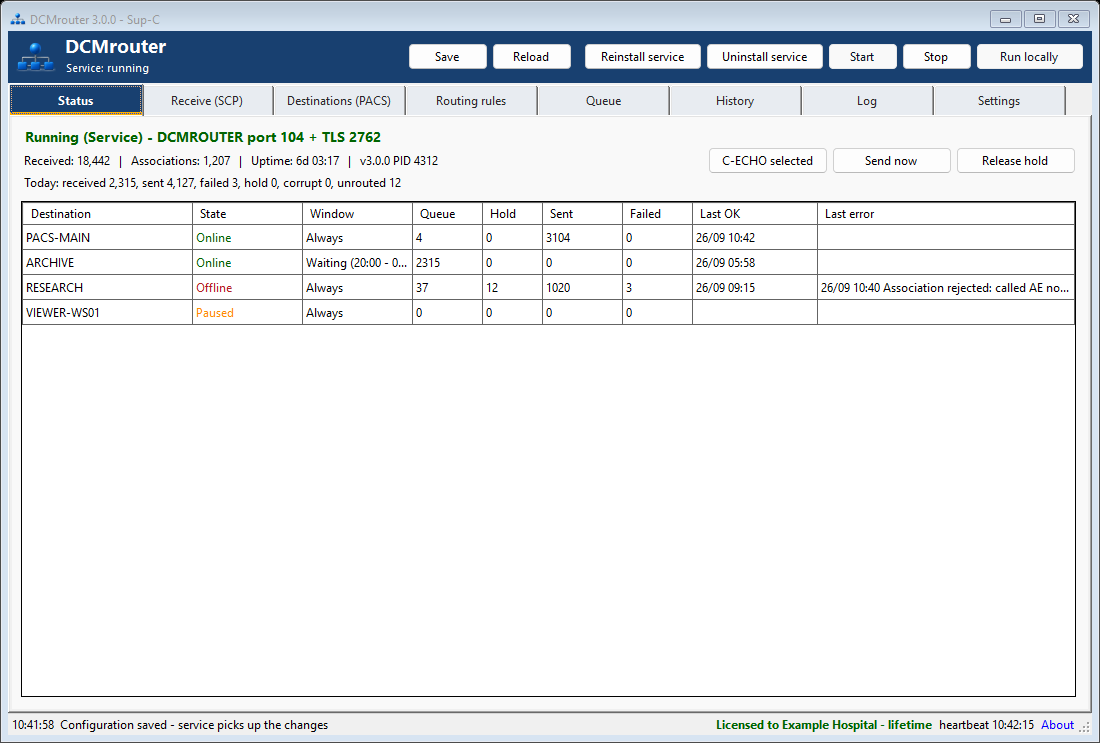
Live status overview with destination state, queue, hold, sent/failed counters and the last connection result.
DCMrouter can receive over the standard DICOM listener, an optional TLS listener, or a hot folder. Called AE checking and sender restrictions can control which systems may send images. Multiple called AE titles can also be configured and used as routing criteria.
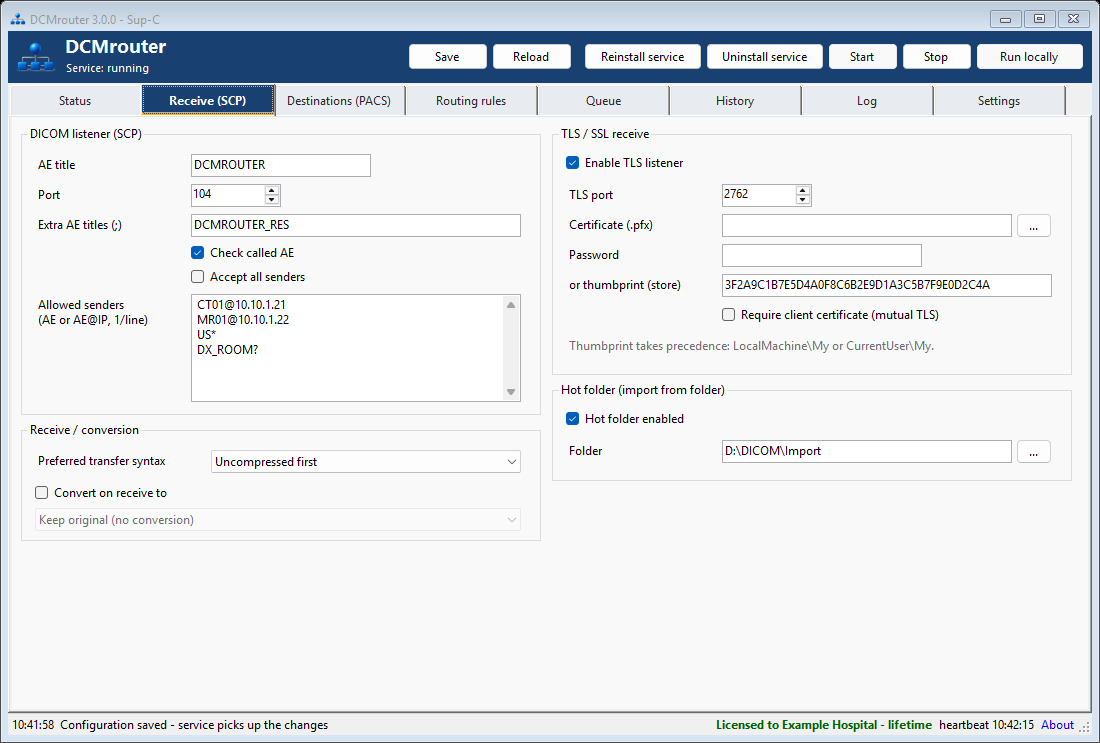
Receive (SCP): AE titles, allowed senders, transfer syntax preferences, TLS and hot-folder import.
Each destination has its own AE title, host, port, Calling AE, TLS settings, transfer syntax, batch size, parallel associations and timeout. A configurable time window can defer traffic to quieter hours while images remain safely queued.
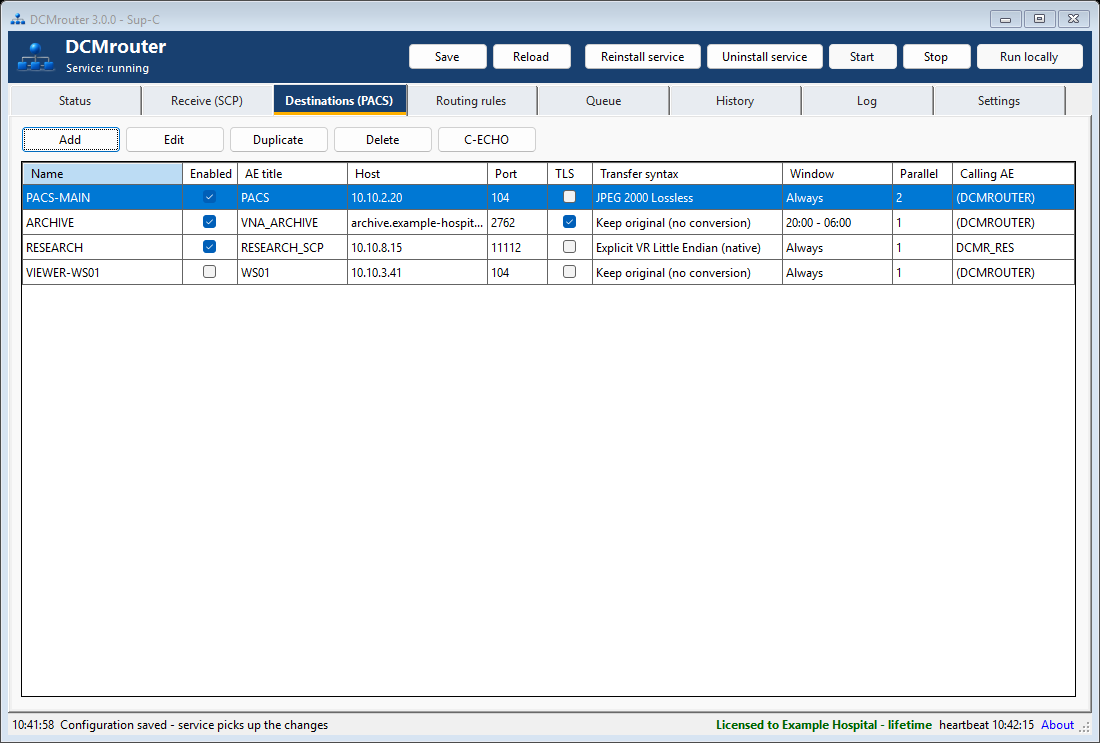
Configured destinations show connection, TLS, transfer syntax, time window, parallel associations and Calling AE at a glance.
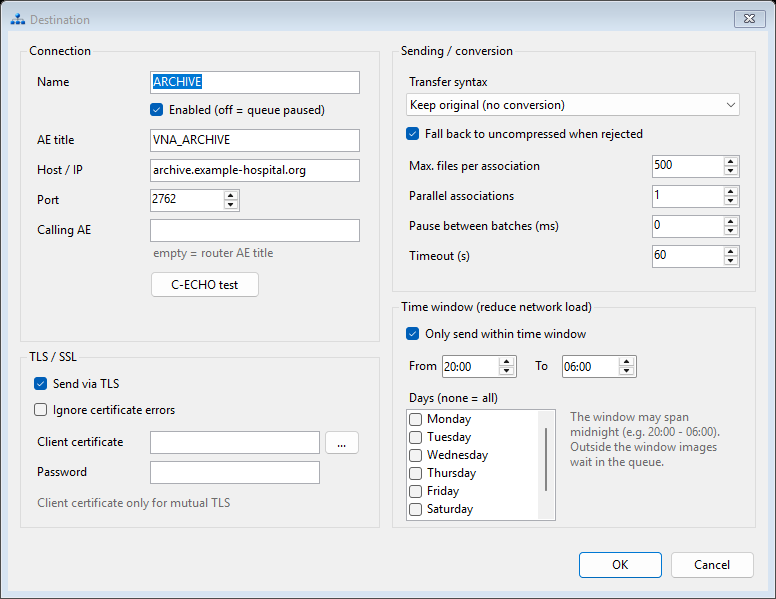
Destination configuration with TLS, transfer syntax conversion, batching and an optional overnight sending window.
Rules are evaluated from top to bottom. Every enabled matching rule adds its destinations, allowing one image to be sent to several systems. A Stop rule can end evaluation for a match, while rule-specific modifications or anonymization are applied to a separate copy without changing the original used by other rules.
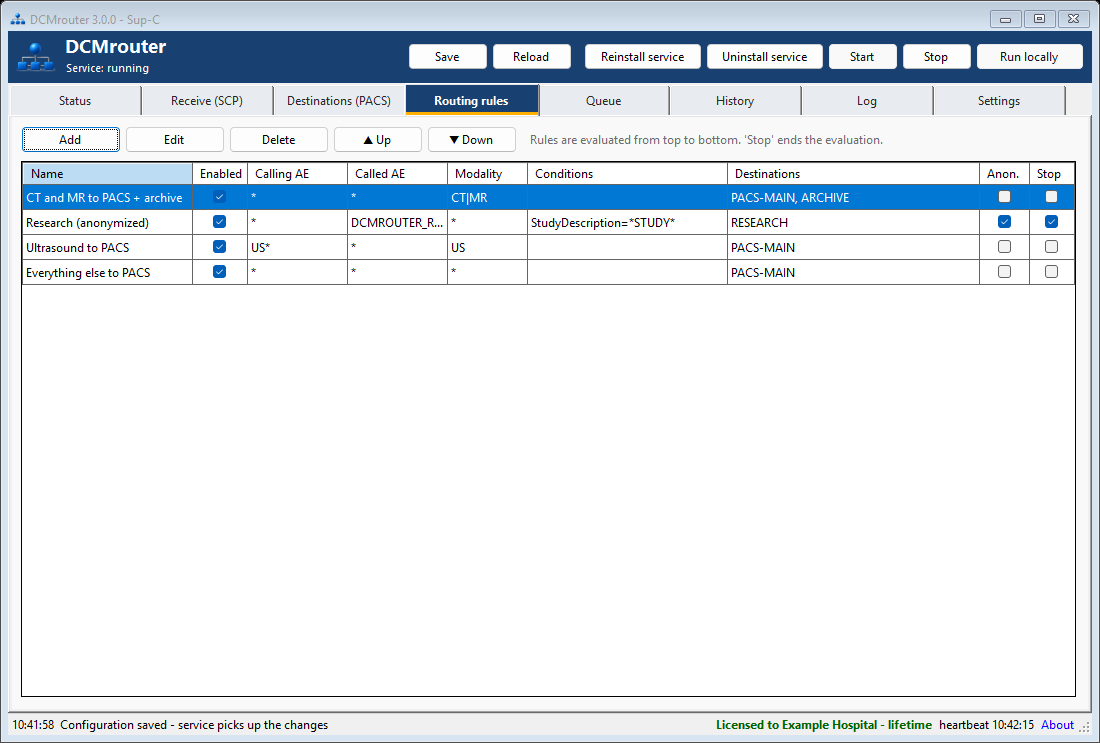
Routing rules can combine Calling AE, Called AE, modality, DICOM tag conditions, destinations, anonymization and Stop behavior.
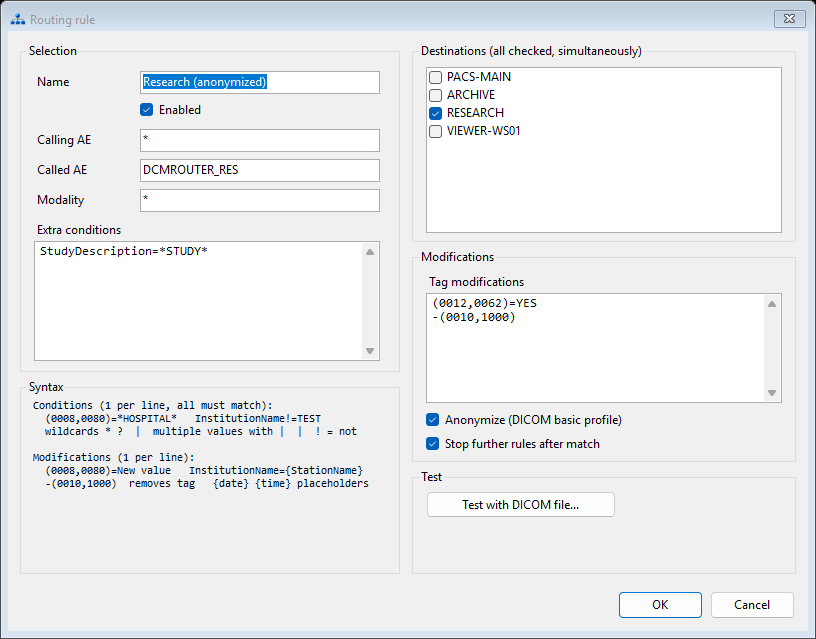
Rule editor: DICOM tag conditions, multiple destinations, tag modifications, anonymization and rule testing with a DICOM file.
DCMrouter writes an image to disk before returning success to the sender. Failed destination transfers are retried automatically with increasing delay. After the configured number of attempts, files move to Hold. DCMrouter periodically checks the destination with C-ECHO and automatically releases Hold when the destination becomes available again.
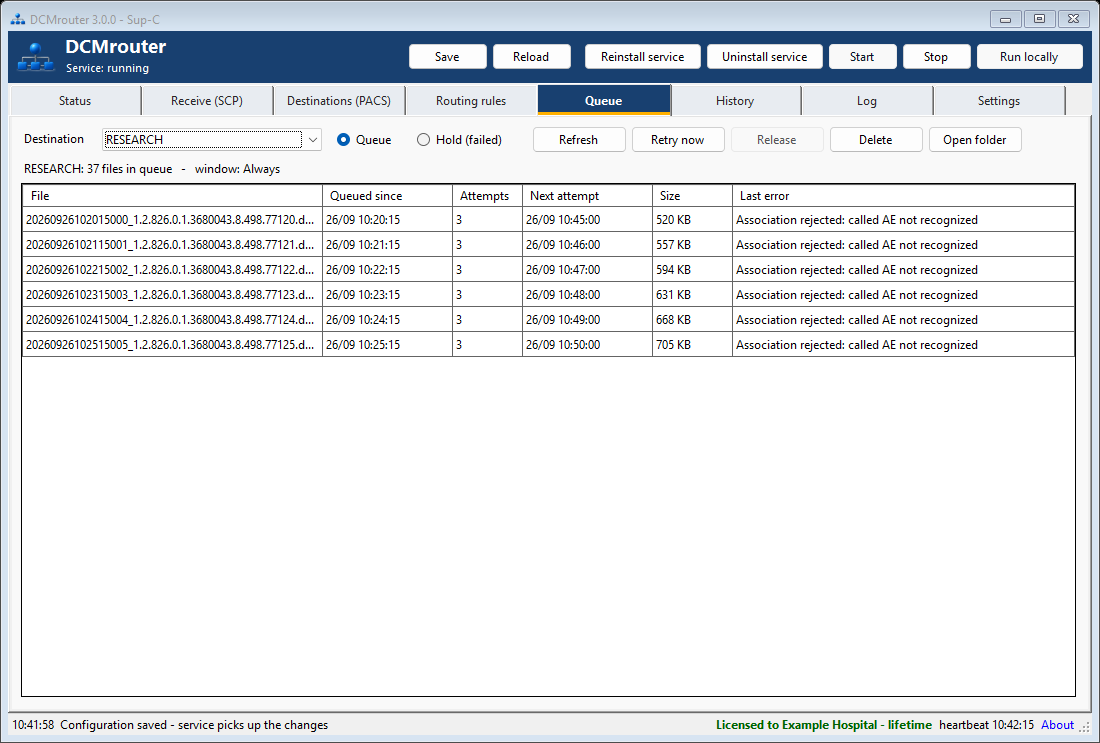
Queue view with attempts, next retry time, size and the last destination error.
Every received and sent object is recorded in the history database. Search by patient, Calling AE, destination, modality, Study or SOP Instance UID, filter by status, and export the displayed results to CSV when required for troubleshooting or audit follow-up.
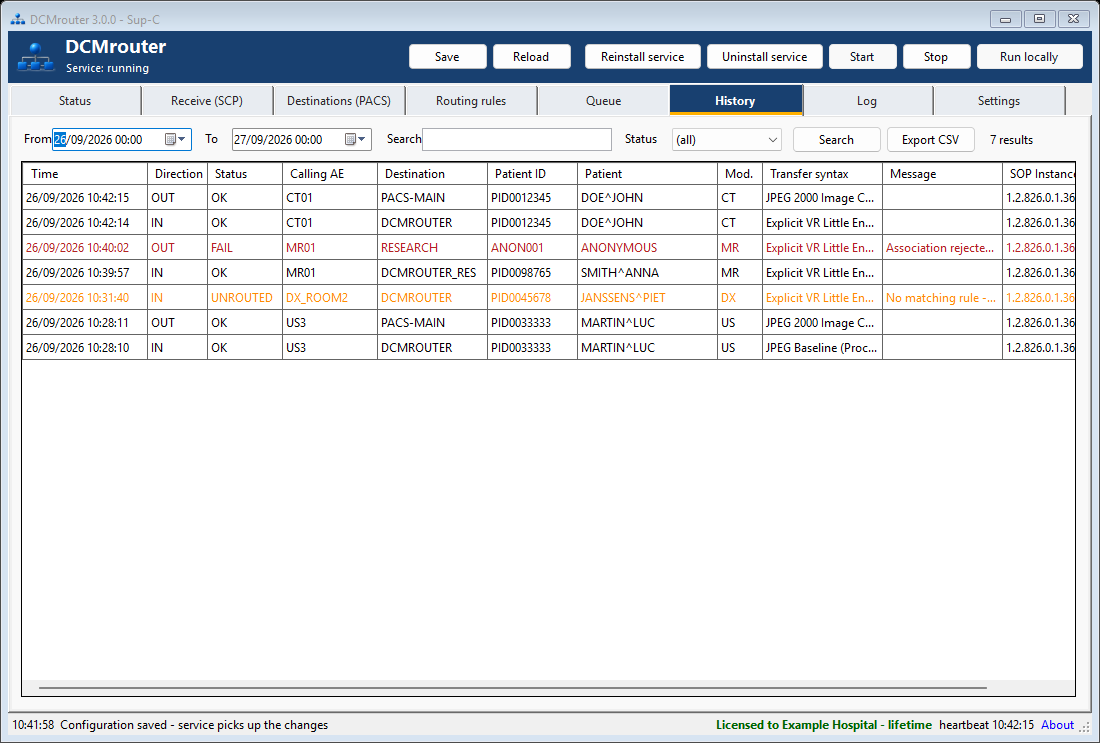
History shows incoming and outgoing objects, status, destination, transfer syntax and error information.
The integrated log viewer follows the current service log and distinguishes information, warnings, errors and optional debug messages. E-mail notifications can report listener problems, destinations that remain offline, Hold or queue thresholds, corrupt data, low disk space, license state and service crashes.
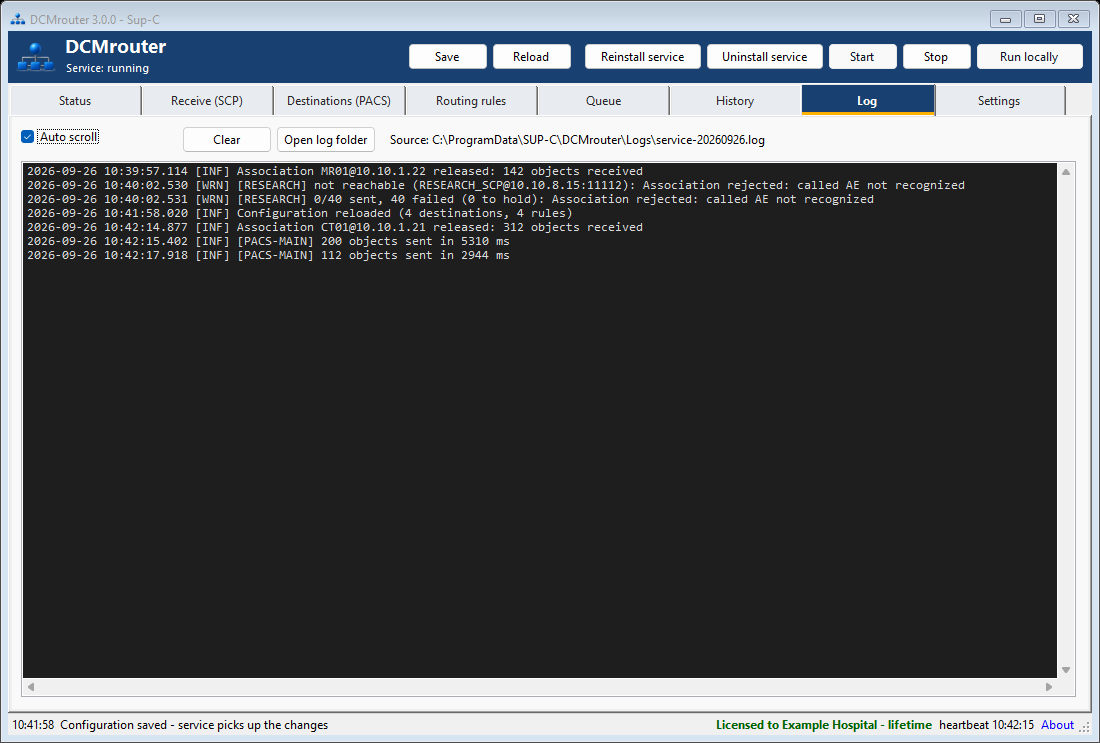
Integrated service log for connection, routing and forwarding diagnostics.
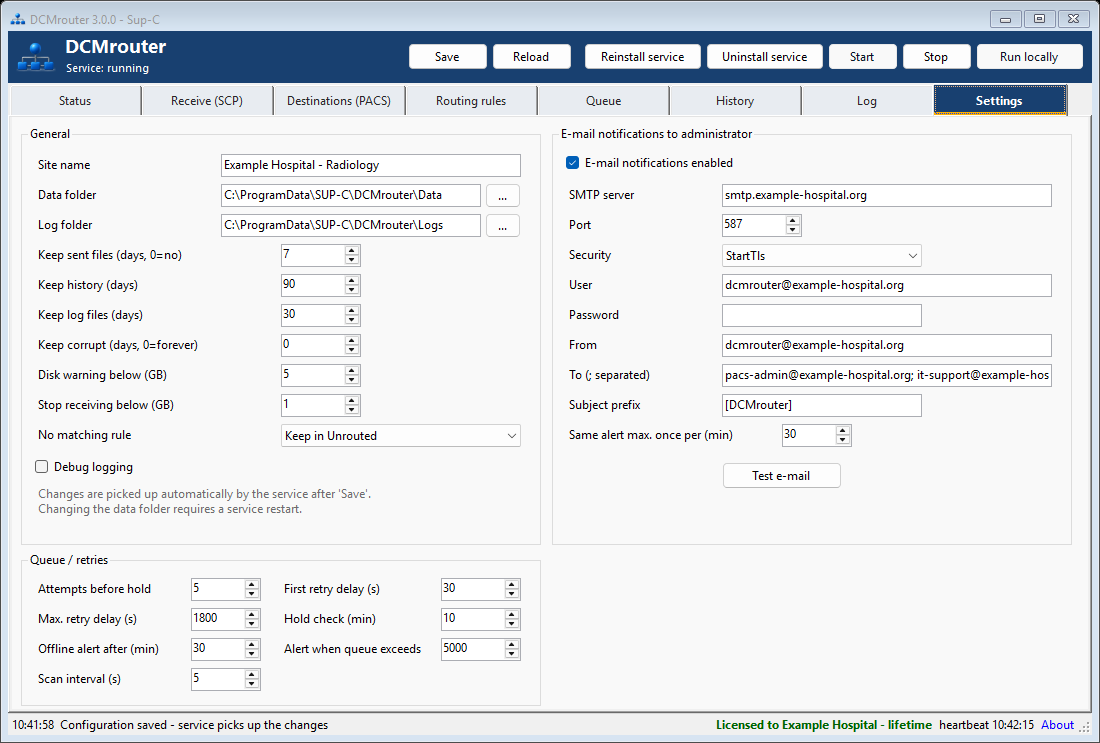
Settings for retention, disk protection, retries, Hold checks and administrator e-mail notifications.
DCMrouter can keep the original transfer syntax or convert per destination. Supported options include Explicit and Implicit VR Little Endian, retired Explicit VR Big Endian, Deflated Explicit VR Little Endian, JPEG Lossless, JPEG Baseline/Extended, JPEG-LS, JPEG 2000, HTJ2K and RLE. Lossy options are clearly identified and should only be used when appropriate for the workflow.
The routing engine runs as the SUP-C DCMrouter Windows service and continues working when nobody is logged on. The configuration application can be closed while the service keeps receiving and forwarding images. For testing, the router can also be run locally inside the configuration program.
DCMrouter 3.0 is licensed per computer. Lifetime and date-limited licenses are supported. Without a license, all functions remain available for testing, but the router automatically stops 60 minutes after it is started.
Use the full DCMrouter 3.0 Installation and User Manual for installation, licensing, configuration, routing syntax, transfer syntaxes and troubleshooting.
Download DCMrouter 3.0 DCMrouter 3.0 Manual
DCMrouter receives DICOM images, evaluates routing rules and reliably forwards matching images to one or more configured destinations.
Yes. Every matching rule can add destinations, so an image can be distributed to several DICOM systems in the same workflow.
The image remains in a persistent queue and is retried automatically. After repeated failures it can move to Hold; DCMrouter checks the destination and releases Hold automatically when C-ECHO succeeds again.
Yes. Rules can match Calling AE, Called AE, Modality and arbitrary DICOM tags. Wildcards, alternatives and negative conditions are supported.
Yes. TLS is available for receiving and sending, including optional mutual TLS with client certificates.