DICOM paper printing
DCMprinter 7.1
DICOM Print Server for Windows — receive DICOM Print jobs and produce output on Windows printers or export pages as PDF or JPEG.
Download 7.1 Manual

DICOM Print Server for Windows — receive DICOM Print jobs and produce output on Windows printers or export pages as PDF or JPEG.
Download 7.1 ManualDCMprinter 7.1 is a Windows DICOM Print Server that receives DICOM Print requests from modalities and workstations. Each Film Box is rendered as a page and can be sent to a standard Windows printer or exported as PDF or JPEG. The software combines a graphical controller with a local DICOM Print service for configuration, monitoring and job processing.
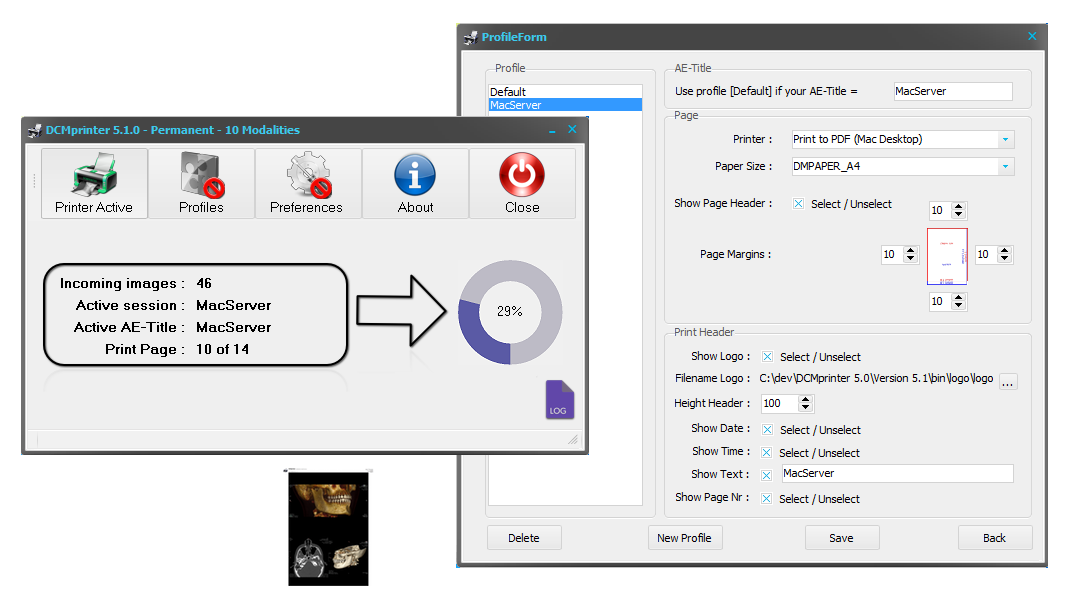
DCMprinter selects an output profile from the received Called AE Title. A profile defines the Windows printer or export target, paper selection, page margins and optional header. This makes it possible to use different AE Titles for different printers or output workflows while keeping the modality-side DICOM Print configuration straightforward.
Paper can be selected explicitly in a profile or mapped from the incoming DICOM Film Size ID using the USE_MODALITY option. Optional headers can include a logo, date, time, page number, Calling AE, Called AE and configured text.
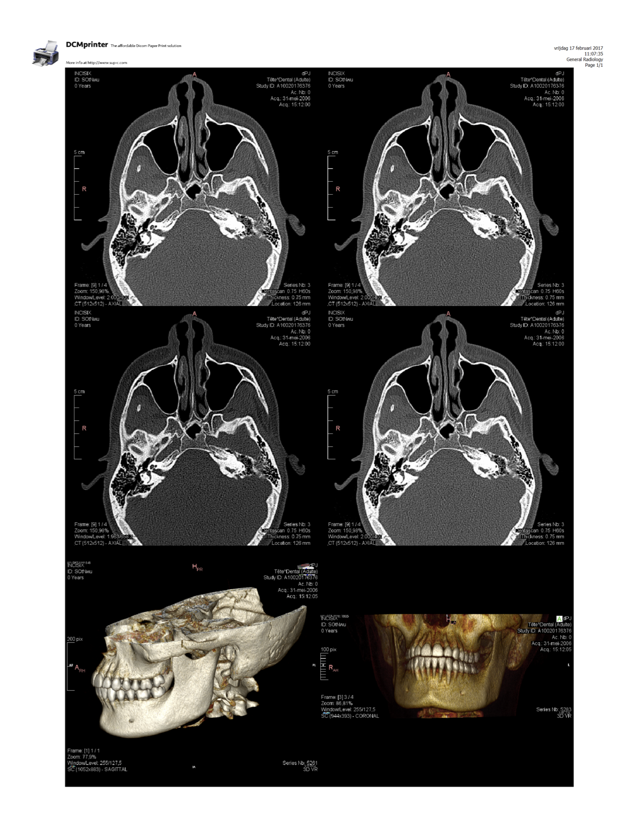
Film Orientation, Film Size ID, Image Display Format and Number of Copies are interpreted from the DICOM Print job. Standard layouts such as STANDARD\columns,rows determine the image grid. Source-image aspect ratio is preserved and images are centered in their cells; unused Image Boxes remain blank.
DCMprinter 7.1 supports Verification (C-ECHO), Basic Grayscale Print Management, Basic Color Print Management, Printer, Film Session, Film Box, grayscale/color Image Box and Print Job SOP Classes. Supported transfer syntaxes include Explicit VR Little Endian, Explicit VR Big Endian and Implicit VR Little Endian.
Normalized operations include N-CREATE, N-SET, N-GET, N-DELETE and N-ACTION type 1. A Film Session may contain multiple Film Boxes; a Film Session print action processes all Film Boxes in that session, while a Film Box action prints the referenced Film Box.
Incoming work is first completed and verified by the DICOM Print service before it is presented to the graphical application for processing. The main window shows incoming sessions, the active AE Title, current page and job progress. On shutdown, DCMprinter can stop immediately or finish the set of jobs that were already ready before closing.
DCMprinter 7.1 supports Windows 10 and Windows 11. The Win32 package is intended for 32-bit/x86-compatible deployment and the Win64 package is the native 64-bit edition. Microsoft .NET Framework 4.8 or later, the matching Microsoft Visual C++ v14 runtime and Windows PowerShell 5.1 or later are required. The installer checks the required components. The default DICOM listener port is 1024 and can be changed to match the site configuration.
Licensing is computer-specific. When no usable license is present, DCMprinter creates a license request that can be sent to the authorized supplier; the returned .lic file is installed by dragging it onto the DCMprinter main window. Same-architecture upgrades and reinstalls preserve customer configuration, profiles, managed headers and licensing state. A supported architecture change is performed by uninstalling the existing edition first and then installing the other architecture.
DCMprinter is intended for documentation, printing, export and distribution workflows and is not for primary diagnostic use. Printer drivers, paper sizes, image quality, patient-data handling and output settings should be validated in the intended environment before production use.
The current package contains the DCMprinter 7.1 installers for x86 and x64 Windows environments. The manual contains installation, licensing, configuration, DICOM Print operation, output, troubleshooting and advanced DICOM Print details.
Download DCMprinter 7.1 DCMprinter 7.1 Manual
Yes. DCMprinter receives a DICOM Print job, renders the Film Box pages and submits them through an installed Windows printer driver.
Yes. An output profile can use Export to PDF or Export to Jpeg instead of a physical Windows printer.
The received Called AE Title is matched to a DCMprinter profile. The profile contains the output destination, paper settings, margins and optional page header.
Yes. Version 7.1 supports Basic Grayscale and Basic Color Print Management workflows.